
Teradata SQL and Advanced GROUPING Functions
What advanced GROUPING methods are there in Teradata SQL?
– GROUP BY GROUPING SETS
– GROUP BY ROLLUP
– GROUP BY CUBE
Part of the Teradata SQL Tuning and Query Rewriting guide.
What is GROUP BY CUBE used for?
CUBE over n grouping dimensions defines 2^n grouping sets, not necessarily 2^n rows. Each grouping set may return several groups; the fixture returned 24 rows. 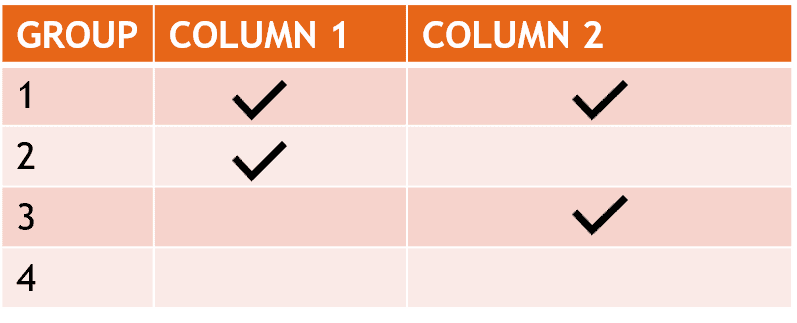
What is GROUP BY ROLLUP used for?
This functionality is used to group columns over a single dimension calculating multiple levels of detail.
What is GROUP BY GROUPING SET used for?
Groups over one dimension without ROLLUP or several dimensions without CUBE
What is a GROUPING SET?
A set of columns over which we group.
What is an empty GROUPING SET?
It is represented by a left and right bracket “()” and returns a grand total
The advanced GROUPING functions will be demonstrated through the following example. The foundation of this demonstration is a table consisting of the flight count for each aircraft and date:
CREATE MULTISET TABLE Flights
(
   PLANE BIGINT NOT NULL,
   FLIGHTDATE DATE NOT NULL,
   NR_FLIGHTS INTEGER NOT NULL
) PRIMARY INDEX (PLANE);
Below you can see our test data:
| Plane | FlightDate | Flights |
| 1 | 2019-02-26 | 5 |
| 2 | 2019-02-26 | 2 |
| 3 | 2019-02-26 | 3 |
| 1 | 2019-02-27 | 1 |
| 2 | 2019-02-27 | 2 |
| 3 | 2019-02-27 | 5 |
| 1 | 2019-02-28 | 5 |
| 2 | 2019-02-28 | 1 |
| 3 | 2019-02-28 | 1 |
| 1 | 2019-03-01 | 5 |
| 2 | 2019-03-01 | 3 |
| 3 | 2019-03-01 | 2 |
| 1 | 2019-03-02 | 1 |
| 2 | 2019-03-02 | 1 |
| 3 | 2019-03-02 | 1 |
Teradata SQL – GROUP BY GROUPING SETS
Data can be grouped on a singular dimension without ROLLUP or on multiple dimensions using CUBE. Consider this illustration:

Get the complete Teradata tuning book, free
Teradata Query Performance Tuning: The DWHPro Guide
By Roland Wenzlofsky & Artemios Vogiatzis
206 pages on statistics and demographics, access paths and indexes, query execution plans, and joins. Get the full PDF and practical Teradata updates from DWHPro.
Confirm your email to receive your download link. Privacy policy. Unsubscribe in any newsletter.
About the free bookSELECT
PLANE,
EXTRACT(MONTH FROM FLIGHTDATE) AS TheMonth,
EXTRACT(YEAR FROM FLIGHTDATE) AS TheYear,
SUM(NR_FLIGHTS) AS NR_FLIGHTS
FROM
FLIGHTS
GROUP BY GROUPING SETS (PLANE,TheMonth,TheYear)
ORDER BY 1 DESC,2 DESC,3 DESC;| Plane | TheMonth | TheYear | NR_FLIGHTS |
| 3 | NULL | NULL | 12 |
| 2 | NULL | NULL | 9 |
| 1 | NULL | NULL | 17 |
| NULL | 3 | NULL | 13 |
| NULL | 2 | NULL | 25 |
| NULL | NULL | 2019 | 38 |
GROUP BY GROUPING SETS determines the number of flights for each plane, monthly and annually.
Details about GROUP BY GROUPING SET
- All columns of GROUPING sets must reference column names. The referencing cannot be done using the position as it is possible in simple GROUP BY (GROUP BY 1,2).
- Each GROUPING SET may contain a maximum of 190 columns.
- Large objects cannot be used in a GROUPING SET (CLOB, BLOB). They must first be cast into another data type. CLOB can be cast to CHAR or VARCHAR. BLOB can be cast to BYTE or VARBYTE.
Teradata SQL – GROUP BY ROLLUP
Categorizes data along a singular dimension with multiple levels of detail. An illustration is presented below:
SELECT
    PLANE,
    EXTRACT(MONTH FROM FLIGHTDATE) AS TheMonth,
    EXTRACT(YEAR FROM FLIGHTDATE) AS TheYear,
    SUM(NR_FLIGHTS) AS NR_FLIGHTS
 FROM
    FLIGHTS
GROUP BY ROLLUP (Plane,TheMonth,TheYear)
ORDER BY 1 DESC,2 DESC,3 DESC;| Plane | TheMonth | TheYear | NR_FLIGHTS |
| 3 | 3 | 2019 | 3 |
| 3 | 3 | NULL | 3 |
| 3 | 2 | 2019 | 9 |
| 3 | 2 | NULL | 9 |
| 3 | NULL | NULL | 12 |
| 2 | 3 | 2019 | 4 |
| 2 | 3 | NULL | 4 |
| 2 | 2 | 2019 | 5 |
| 2 | 2 | NULL | 5 |
| 2 | NULL | NULL | 9 |
| 1 | 3 | 2019 | 6 |
| 1 | 3 | NULL | 6 |
| 1 | 2 | 2019 | 11 |
| 1 | 2 | NULL | 11 |
| 1 | NULL | NULL | 17 |
| NULL | NULL | NULL | 38 |
GROUP BY ROLLUP calculates the number of flights for each plane, each distinct month, each month per year, and the total.
Details about GROUP BY ROLLUP
- Several GROUPING SETS can be defined in one SQL. In our example, we use only one (Plane, TheMonth, TheYear)
- Large objects cannot be used in a GROUPING SET (CLOB, BLOB). They must first be cast into another data type. CLOB can be cast to CHAR or VARCHAR. BLOB can be cast to BYTE or VARBYTE.
- All columns of GROUPING sets must reference column names. The referencing cannot be done using the position as in simple GROUP BY (GROUP BY 1,2).
- GROUP BY ROLLUP on one column includes a grand total in addition to its ordinary groups; it is not equivalent to plain GROUP BY.
- Each GROUPING SET may contain a maximum of 190 columns.
Teradata SQL – GROUP BY CUBE
Organizes data across multiple dimensions. For instance:
SELECT
    PLANE,
    EXTRACT(MONTH FROM FLIGHTDATE) AS TheMonth,
    EXTRACT(YEAR FROM FLIGHTDATE) AS TheYear,
    SUM(NR_FLIGHTS) AS NR_FLIGHTS
FROM
    FLIGHTS
GROUP BY CUBE (Plane,TheMonth,TheYear)
ORDER BY 1 DESC,2 DESC,3 DESC;| Plane | TheMonth | TheYear | NR_FLIGHTS |
| 3 | 3 | 2019 | 3 |
| 3 | 3 | NULL | 3 |
| 3 | 2 | 2019 | 9 |
| 3 | 2 | NULL | 9 |
| 3 | NULL | 2019 | 12 |
| 3 | NULL | NULL | 12 |
| 2 | 3 | 2019 | 4 |
| 2 | 3 | NULL | 4 |
| 2 | 2 | 2019 | 5 |
| 2 | 2 | NULL | 5 |
| 2 | NULL | 2019 | 9 |
| 2 | NULL | NULL | 9 |
| 1 | 3 | 2019 | 6 |
| 1 | 3 | NULL | 6 |
| 1 | 2 | 2019 | 11 |
| 1 | 2 | NULL | 11 |
| 1 | NULL | 2019 | 17 |
| 1 | NULL | NULL | 17 |
| NULL | 3 | 2019 | 13 |
| NULL | 3 | NULL | 13 |
| NULL | 2 | 2019 | 25 |
| NULL | 2 | NULL | 25 |
| NULL | NULL | 2019 | 38 |
| NULL | NULL | NULL | 38 |
Details about GROUP BY CUBE
- Several GROUPING SETS can be defined in one Teradata SQL. In our example, we use only one (Plane, TheMonth, TheYear)
- All columns of GROUPING sets must reference column names. The referencing cannot be done using the position as in simple GROUP BY (GROUP BY 1,3).
- Large objects cannot be used in a GROUPING SET (CLOB, BLOB). They must first be cast into another data type. CLOB can be cast to CHAR or VARCHAR. BLOB can be cast to BYTE or VARBYTE.
- Each GROUPING SET may contain a maximum of 8 columns.
Teradata’s advanced grouping options facilitate multi-level grouping, resulting in improved performance.
Grouping only by month combines the same month across years. Use year/month together when that is not intended. The corrected fixture produced 24 CUBE rows and four single-column ROLLUP rows. The historical plane-1 total shown as 12 should be 17.
Deciding what to change in your data platform?
Compare optimisation, modernisation and migration against your workload and business requirements.
Get the complete Teradata tuning book, free
Teradata Query Performance Tuning: The DWHPro Guide
By Roland Wenzlofsky & Artemios Vogiatzis
206 pages on statistics and demographics, access paths and indexes, query execution plans, and joins. Get the full PDF and practical Teradata updates from DWHPro.
Confirm your email to receive your download link. Privacy policy. Unsubscribe in any newsletter.
About the free book